
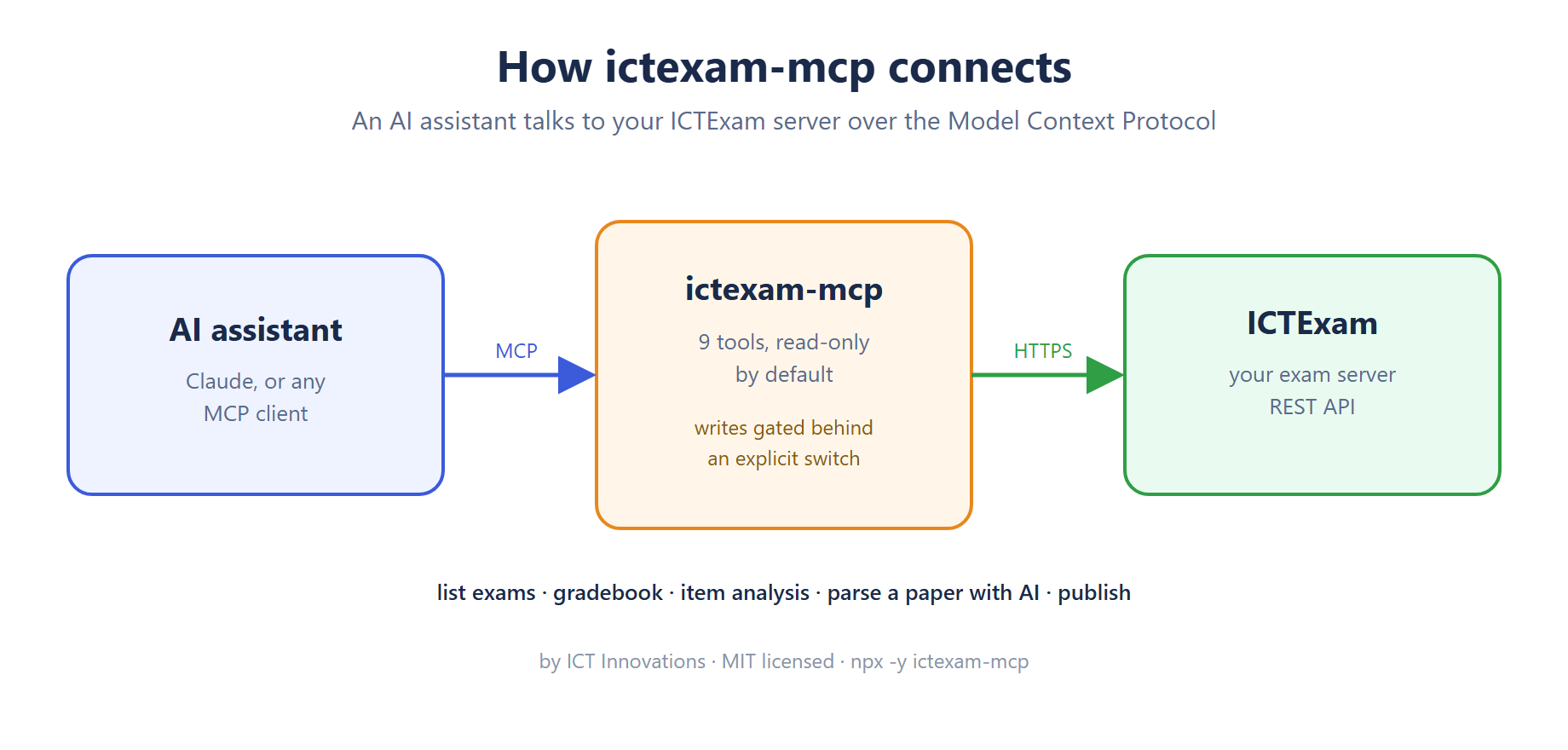
We are opening up a line of Model Context Protocol servers for our stack, and this one covers assessment. ictexam-mcp gives an AI assistant a safe way to work with an ICTExam server: it can read your exams, pull a gradebook, look at per-question item analysis, and turn a question paper into a structured draft with AI. It is MIT licensed, on npm and in the MCP registry, and you run it with one command.
Why an MCP server
The Model Context Protocol is an open standard for handing an assistant real tools instead of just text. Once ictexam-mcp is connected, the assistant can call those tools on its own, so you can ask questions like which topics students struggled with, or hand it a PDF and get an exam draft back, without clicking through the admin screens yourself.
The tools
Six are read only and always available: list exams, open a single exam, list classes and subjects, pull the teacher gradebook, and read item analysis (difficulty, p-value, average mark). Three change data and stay switched off until you enable them: parse a question paper with AI, publish an exam, and set it back to draft.
The parse tool is the one people try first. You point it at a PDF or a Word file, ICTExam reads the paper, and you get the questions back as structured data with types, options, correct answers, marks and any mark scheme. In our own testing a real paper came back as twenty-five ready-to-review questions.
Read-only by default
Every server in this line ships the same way: safe to install, unable to change anything until you say so. The three write tools are not even registered unless you set ICTEXAM_MCP_ALLOW_WRITE=true. Parsing spends AI credit on your own server and publishing makes an exam live for students, so both sit behind that switch on purpose. The server signs in with your own account, and the password never leaves the machine you run it on.
Install it
With Node 18 or newer you do not need to install anything first:
npx -y ictexam-mcpGive it three settings, your base URL, email and password, then add it to your MCP client. The README on GitHub has a ready-made config block. We build both open source and commercial communication software at ICT Innovations, and this is one of several MCP servers we are releasing across it.
FAQ
Is it free? Yes, MIT licensed, with the source on GitHub and the package on npm.
Which assistants can use it? Any MCP client. We test with Claude, and the protocol is open, so others work the same way.
Can it change my data by accident? No. Reading is the default and writing is opt-in through one environment variable.
Do I need an AI key? Only the paper parsing and essay grading use one, and that is configured on your ICTExam server, not in the MCP server.
Where do I report issues? On the GitHub repo. We read them.
If you run other parts of our stack, there are more of these already out, from PBX to fax to contact center.